 Contact us
October 7,2021
Magento 2 Guide: Creating Search Synonyms

Have you ever performed a search on a website and not seen the product you were looking for, despite knowing that the website has it.
This is something that isn’t unheard of, where a product uses a different word to describe it, for example, what you might call a sofa, could also be referred to as a:
- Couch
- Settee
Using these to search for a product isn’t wrong, simply an alternative.
The same also applies to miss-spellings, for example, someone searching for a new MacBook might instead search:
- Mac book
- Mcbook
- Mac
Though these aren’t necessarily wrong, some website search results won’t pick these up, due to the different spellings.
In Magento, there is a way to implement this via the Search Synonyms functionality. This allows you to pair similar words that have the same meaning and miss-spellings of the same word together, to show the same results.
Adding synonyms can ensure that you provide better/more accurate search results to your users and increase sales through the website.
Quick Overview
These are very easy to add to your website.
- Log in to the Magento admin area
- Go to Marketing > Search Synonyms
- Add new synonyms
- Choose the scope of the synonyms
- Enter your synonym searches, separated by a comma
- If you want to merge these synonyms into an existing group, mark the Merge existing synonyms checkbox.
- Save and you’re finished.
Need help with Magento?
We are experts in Magento, with experienced designers, developers & marketers. If you need a hand, get in touch.
Full Explanation
Log into the Magento admin and navigate to Marketing > Search Synonyms.
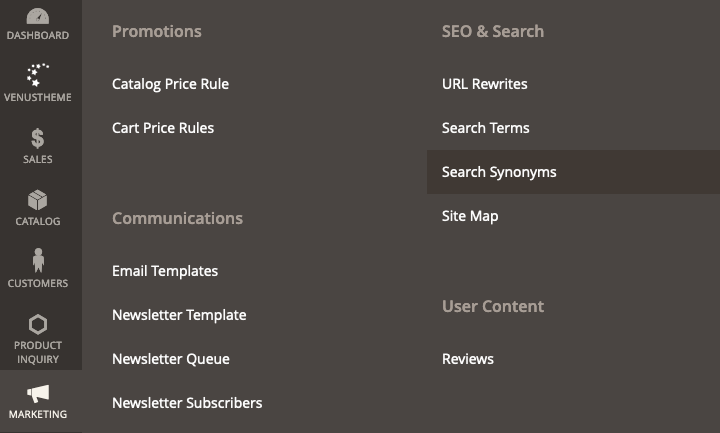
Here we want create new synonyms, so click the New Synonym Group button. Now, we’ll need to select the store view/scope you want these synonyms to apply to. Enter your list of synonyms, separating with a comma.
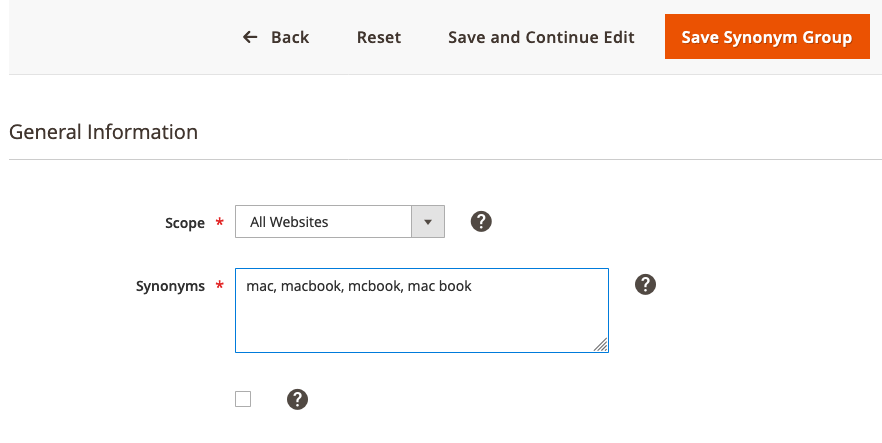
At the bottom you’ll have a checkbox, if ticked, what this does is combine this list of synonyms, with an existing group where one or more of the synonyms match.
Note: If one of them is in another group and you don’t tick to combine and update it, an error message will return and you won’t be able to save until you either tick the checkbox or remove the synonyms that appear in another set.
Once done, hit save.
Here’s a quick example of us creating a set of synonyms for the sofa (as above), to combine with an existing list.
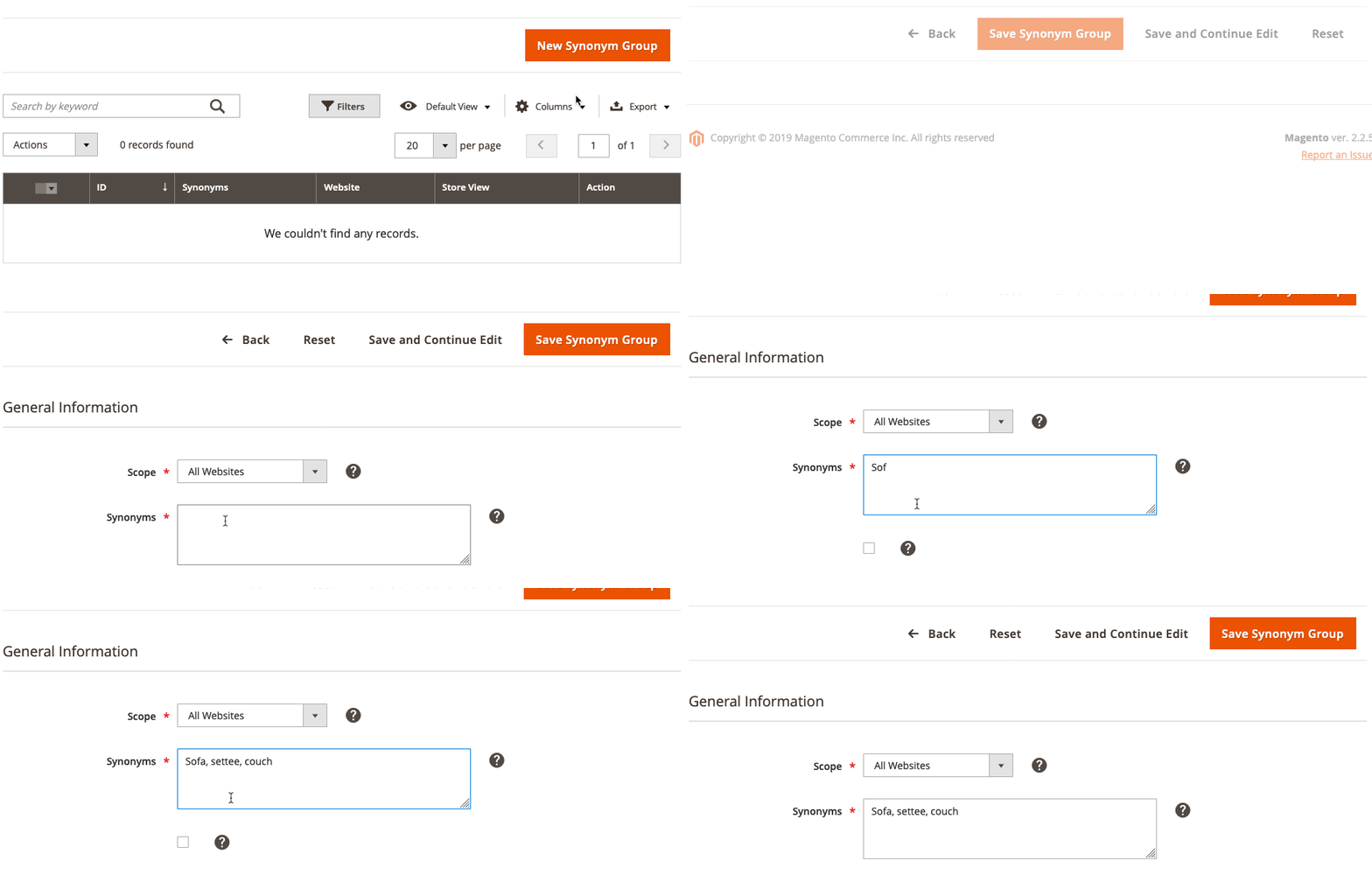
You should now be able to test and see the search results for the synonym searches bring up the related products. This can be used in conjuction with the search terms report, to direct searches to specific pages.
Check out our other Magento 2 Guides
We are a experienced Magento Agency, working with brands both large and small. If you need any help with your Magento Store, get in touch with us today!