 Contact us
February 16,2026
Magento 2 Guide: Attributes & Attribute Sets

Here we’re going to look at an important, but sometimes overlooked part of Magento – Attributes.
You are able to create custom attributes and use these improve the information you show for a product and offer more website navigation options, helping to improve user experience, but before we get into that….
What are attributes?
Attributes are the fields that make up a product, the name, price, SKU, description and so on. These attributes are arranged into attribute sets, which are then used to create the template for a product.
These are used to determine what data is stored about a product.
How can we use them
We’ve already mentioned that these are essential for the makeup of products. They can also be used to define additional qualities you want products to have, for example:
If you sell digital cameras and t-shirts, the common attributes such as name, a price, SKU, description and so on will be needed for both of them. They will also have attributes, that are unique to each product, t-shirts will have size and colour, digital cameras will have storage capacity and megapixels.
These attributes will not be needed across both products, so you create your own attribute sets for these products, one for t-shirts where colour and size can be defined, one for digital cameras where storage capacity and megapixels can be set.
These attributes can then be used in a number of ways, including:
- Defining essential fields for a type of product.
- Show more detailed information about a product.
- Used for creating configurable products.
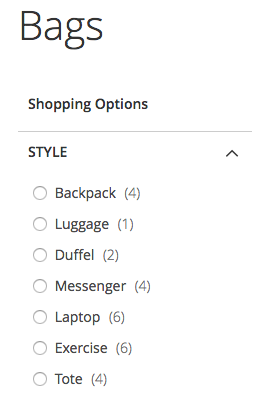
- Category filtered navigation.
Need help with Magento?
We are experts in Magento, with experienced designers, developers & marketers. If you need a hand, get in touch.
How to create attributes
So, now we’re going to take a look at how you create a product attribute for a t-shirt that comes in different colours – red, black, green, white. Then we’ll see how to create a new attribute set and add our newly created attribute to it.
Product attribute
- Stores > Attribute > Product and click ‘Add new attribute’ button
- Assign the label colours for your attribute
- Choose the input type dropdown
- Define the options as – red, black, green, white
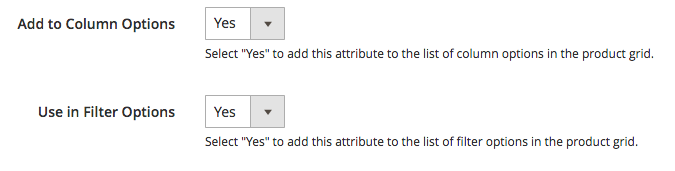
- Under advanced, change ‘Add to Column Options’ and ‘Use in Filter Options’ to yes.
- Go to storefront properties tab
- Change ‘Use in Layered Navigation’ to filterable with results.
- ‘Use in Search Results Layered Navigation’ to yes.
- Finish by clicking ‘Save attribute’ button
Head over to Stores > Attribute > Product.
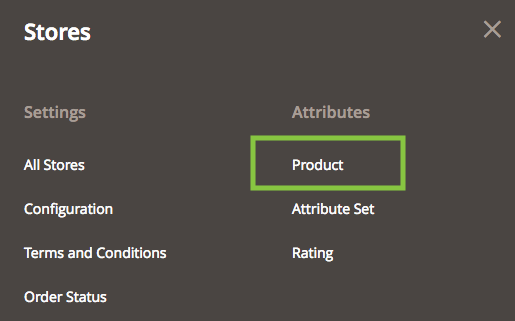
From here, click the add new attribute button and you’ll be taken to this screen.
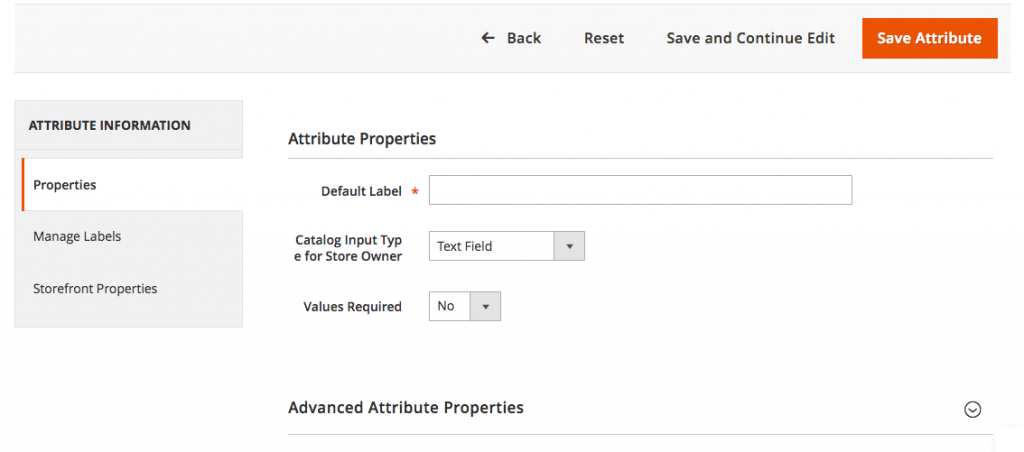
The Default label is the identifier for the product attribute, because we’re using this for colours, so we’ll be calling this – colour. Change the catalog input type to dropdown, and underneath, a place where you can define your options will appear.
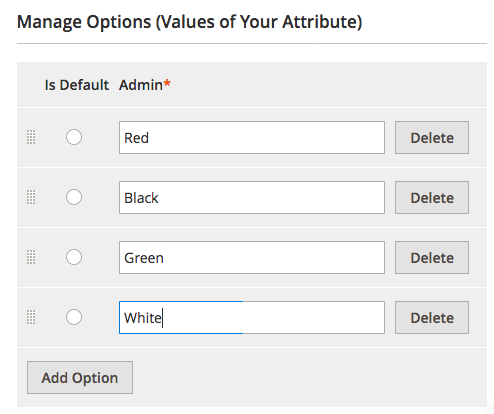
After creating all your options, expand the advanced options section below and ensure that ‘Add to Column Options’ and ‘Use in Filter Options’ are changed to yes.
Now head to the storefront properties tab (on the left) and change ‘Use in Layered Navigation’ to filterable with results, this will then let these options be used to filter down products in a category. Click save and we’re done, now to create our attribute set.

Need help with Magento?
We are experts in Magento, with experienced designers, developers & marketers. If you need a hand, get in touch.
Attribute set
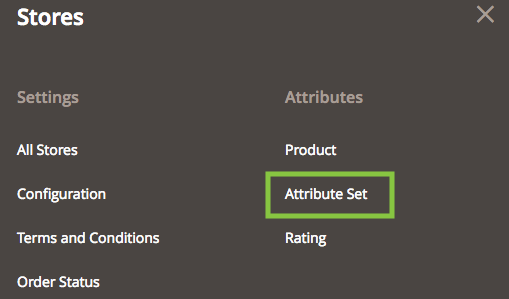
- Stores > Attribute > Attribute sets and click ‘Add attribute set’ button
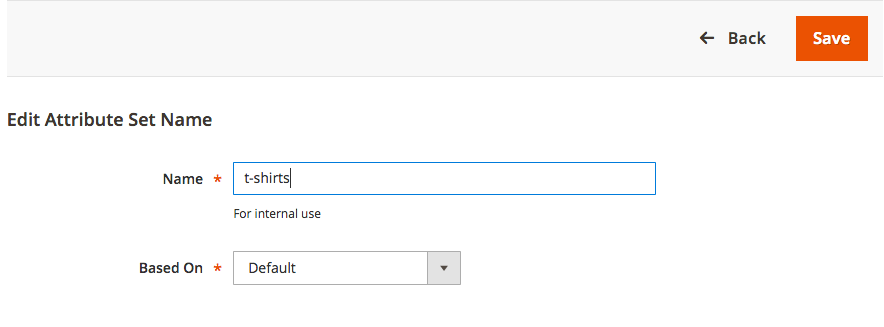
- Add the name t-shirts and click save
- In the column ‘Unassigned Attributes’ drag your colour attribute to the ‘Product details’
- Click save
Stores > Attribute > Attribute sets and click ‘Add attribute set’ button.
Here we’ll be asked to name our attribute set, which we’ll name t-shirts, as that will be the basis for all our t-shirt products. We’ll leave the base it on the Default product attribute set.
Now you’ll end up with three columns – first one will be the name you’ve given to the attribute set, second one will be all the attributes your current set has, the third will be all the other attributes which aren’t in there.
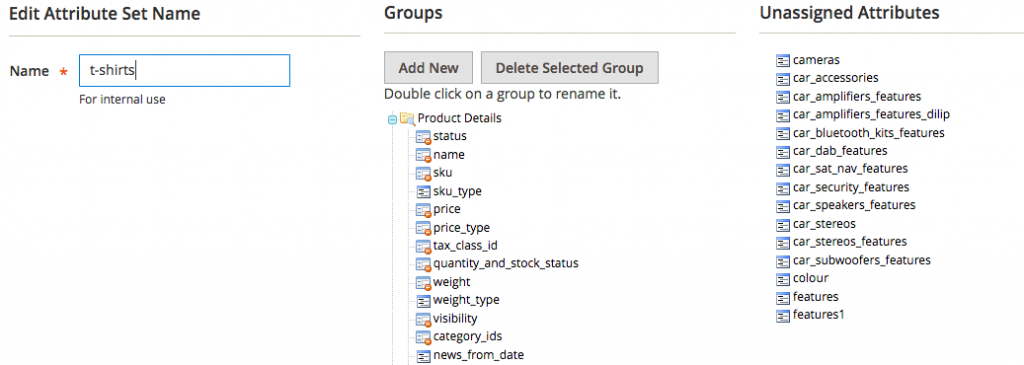
What we want to do is find our ‘colour’ product attribute we created earlier and then drag it across into the product details tab. Once we’ve done this, click save and we’re done.
We are a experienced Magento Agency, working with brands both large and small. If you need any help with your Magento Store, get in touch with us today!